How to Download Full Anime Videos From Kucing?
Kucing is one of the fastest-growing free streaming platforms that features a vast selection of anime titles. If you want to download your favorite anime shows and movies on this app to watch later offline, then this guide covers every ounce of insight that would be a great help in downloading and watching animaited content without internet connectivity.
About the Kucing APK
Kucing APK is a high-speed streaming app that combines a huge collection of diverse anime content in one destination. Everyone’s favourite animated movies are available on this app, eliminating multiple OTTs and switching between different apps. With Kucing APK, users can change the video quality according to their internet speed, so it gives a smooth and flexible streaming experience.
The app also includes a smart search option that helps users quickly find their favourite anime videos. It is a great way to watch with little buffering, whether you have a fast connection or a limited data plan. To avoid buffering at all, it is best to download the video and then watch offline that completely erase buffering or slow internet issue.
How Does Offline Playback Work in Kucing App
Kucing APK is a top-rated subscription-free third-party streaming platform. This app mimics licensed streaming services with similar features and a bigger content library. It includes a download option that lets users save anime videos and episodes for offline viewing. This offers a benefit, making entertainment more enjoyable, especially when users face unstable internet, buffering, or server issues while streaming.
This app has all the necessary features that can enable the user to enjoy their cinema. Individuals can not only download the desired video from the platform but can also choose the preferred video quality and subtitle language along with it for offline playback. The person can make use of the app and can download any content to have smooth, interruption-free streaming during their leisure time.
Step-by-Step Guide to Downloading Anime Videos from Kucing APK
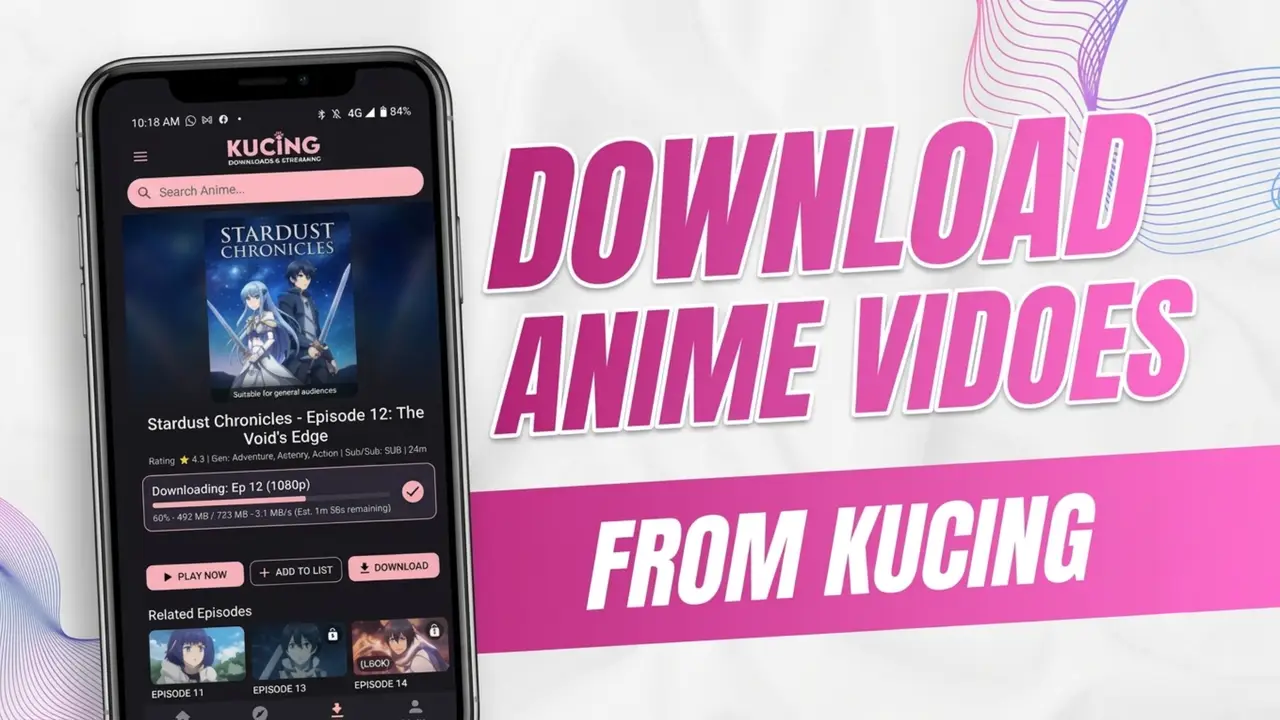
Kucing APK has an easy-to-use interface, which caters to numerous viewers gathering to watch anime series. Many people consider downloading the video and then watching it offline, and it is great for those who travel quite often or don’t always have access to high-speed internet. Fortunately, the Kucing app has an offline downloading feature, and by following the given instructions you can download any on-demand videos such as anime videos or series from this app for free.
- Launch the Kucing app on your device and explore content in its vast library and find the one that you would like to watch.
- You can use the search bar to instantly locate the anime videos you want to download.
- Upon choosing the anime, the user will find a download option below the play button.
- Tap on the Download option and choose the preferred video quality and subtitle language.
- Click on the final download button at the bottom to start the downloading process.
- Depending on the file size and your internet speed, it may take some time to finish the downloading process.
- After it is done, the file is likely to be successfully downloaded on the device and you can access it anytime without internet.
How to Access and Play Downloaded Videos?
The better the picture and sound quality of the content is, the more likely it is to take some time to finish downloading. After the video is successfully downloaded, launch the Kucing APK and go to the Downloads section to find it. Remember the video will not show up on your default gallery app or file manager; it will only appear inside the Kucing app’s download section. Viewers can enjoy a buffer-free anime session with the offline playback feature on the app.
FAQs
Conclusion
Kucing APK provides an offline download option to all free users, and you can download full HD anime to watch anytime without internet. The app is not officially available on the Google Play Store or other major app stores, but can be downloaded via APK from our website (KucingAPK.co). Its main advantages include ad-free streaming, HD playback, offline downloads, and multiple audio and subtitle languages. Kucing also features a simple interface and broad OS compatibility, so install the app and download your favorite anime videos to enjoy watching it offline.